
Bulk queue adds, and My Lists (playlist editing and watch history)
v1.2.0 lets you add several videos to the queue at once. It also adds My Lists (your own playlists) and a History of what played in your rooms.
1. Add several videos to the queue at once
Until now you could only queue videos one at a time. There are two ways to add many.
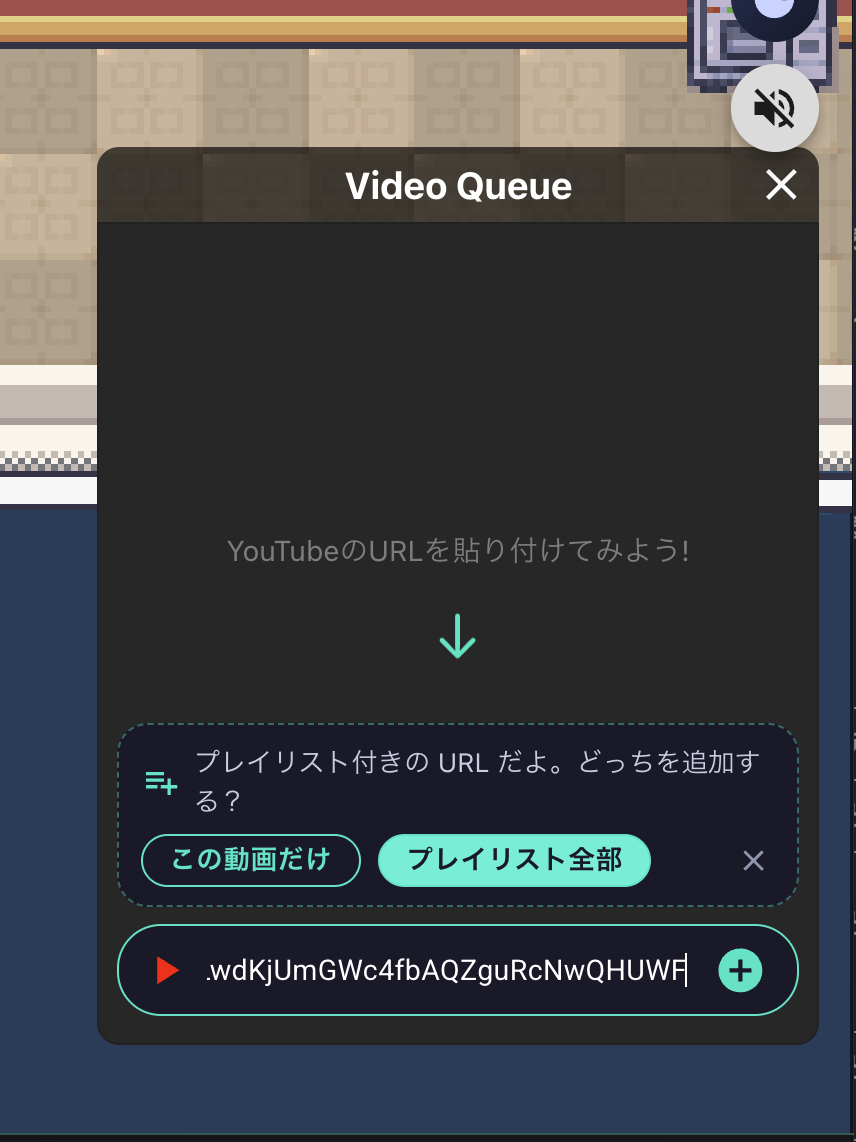
① Paste a YouTube playlist URL straight into the queue boxIf the URL has both a video and a playlist (share links often do), you choose "just this video" or "the whole playlist".
② Pick several from a My ListOpen a My List (more on that below), press "Add to queue", and pick videos; they go into the queue in the order you picked.
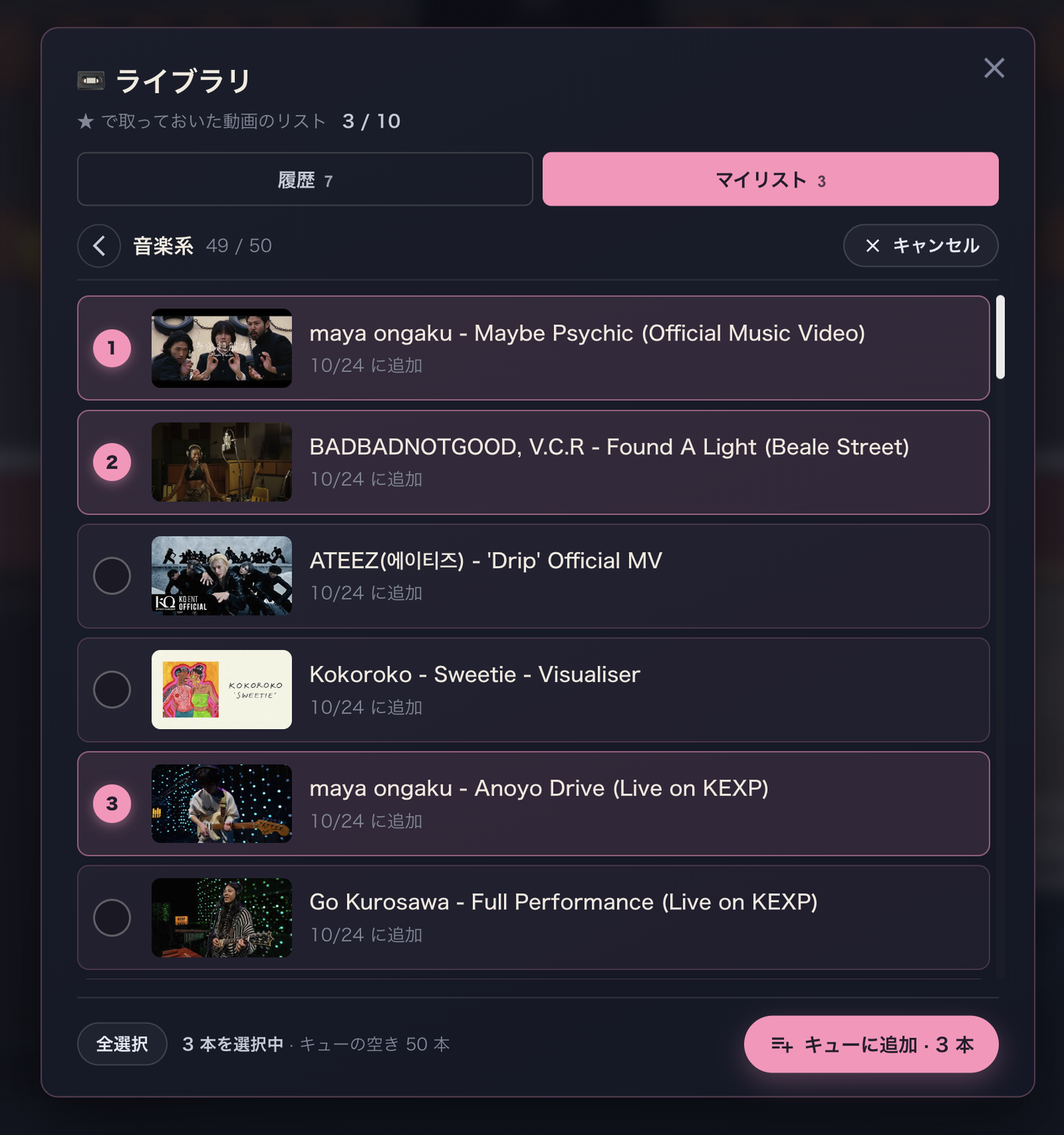
The queue cap is now 50 videos. Bulk adds work in rooms you create (once a minute).
2. History
Videos that play in a room are now saved to your history automatically.
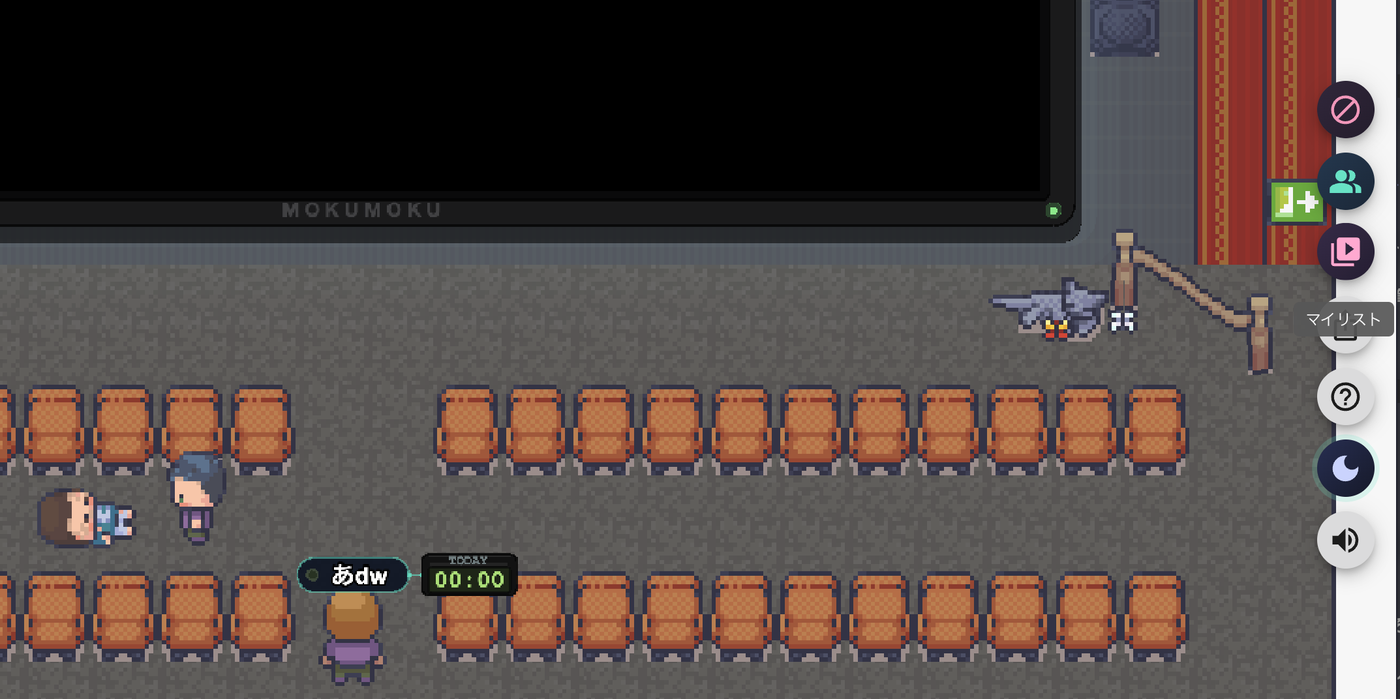
The History tabThe latest 50, grouped by day. You can see which room and when, and open any of them on YouTube.
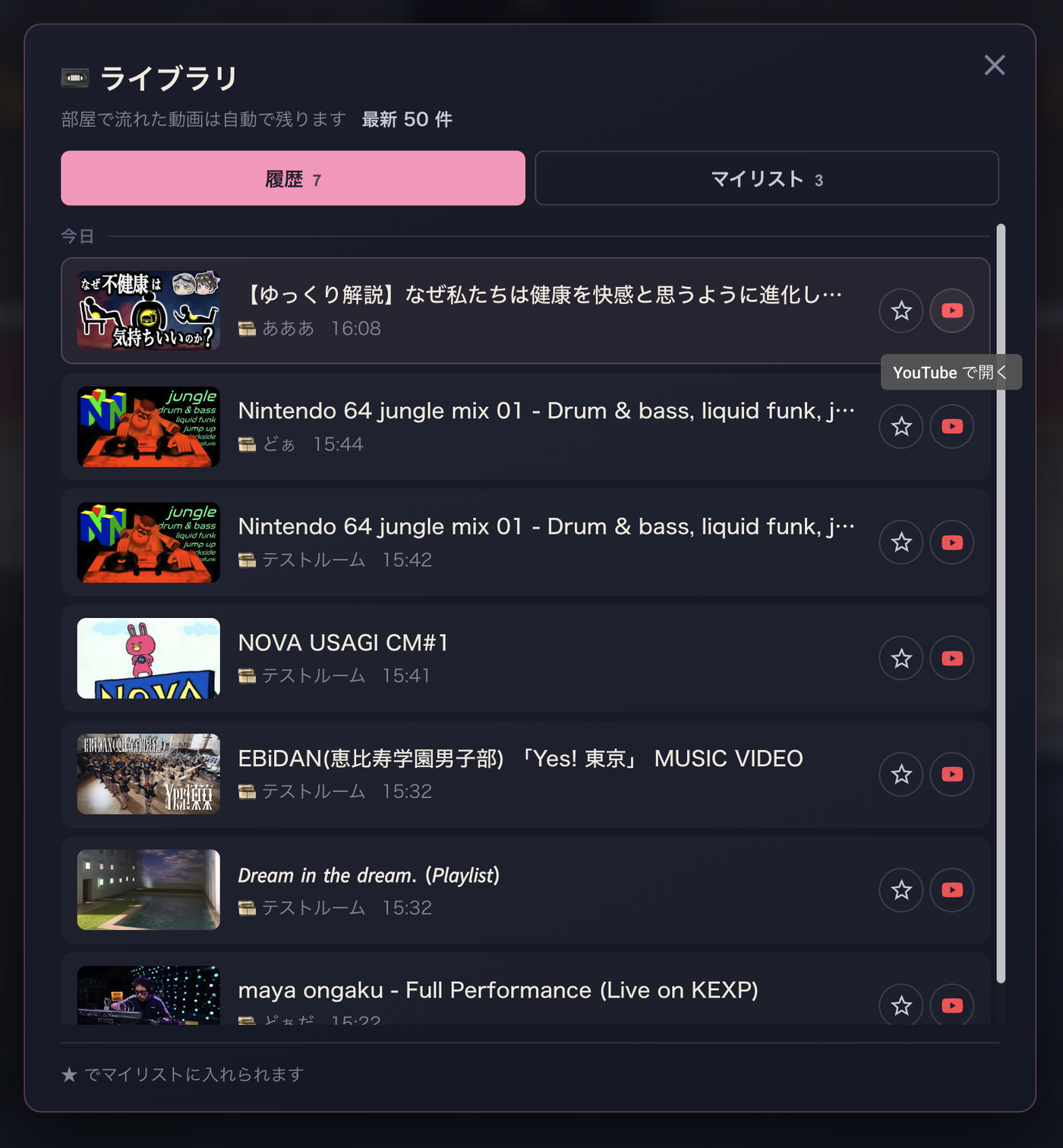
From here you can add to a My List (more below)Tap ★ on a row and pick which list.
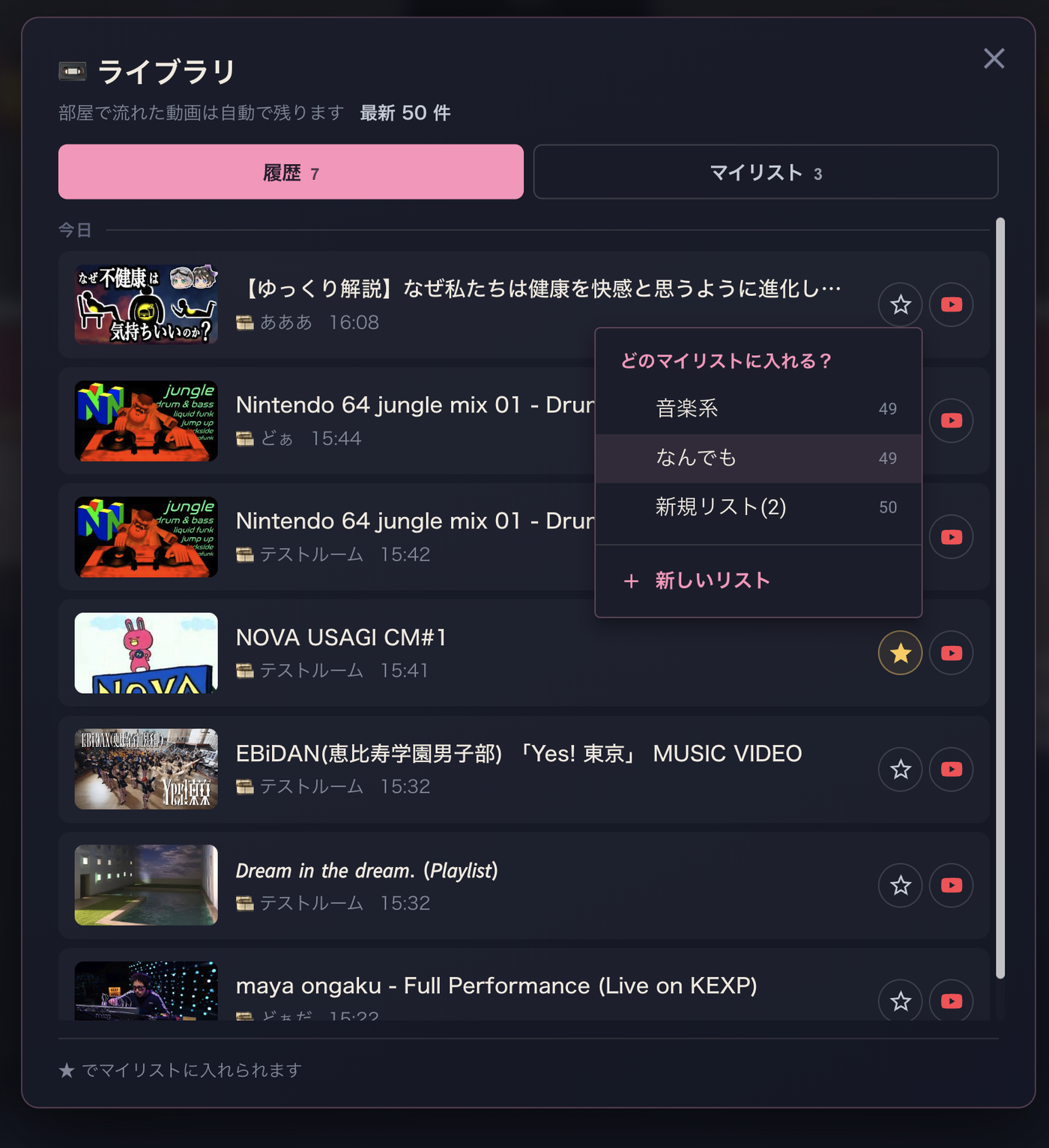
History is only recorded while you're logged in.
3. My Lists
Keep videos in playlists of your own. Open the "My Lists" tab in the 📼 Library.
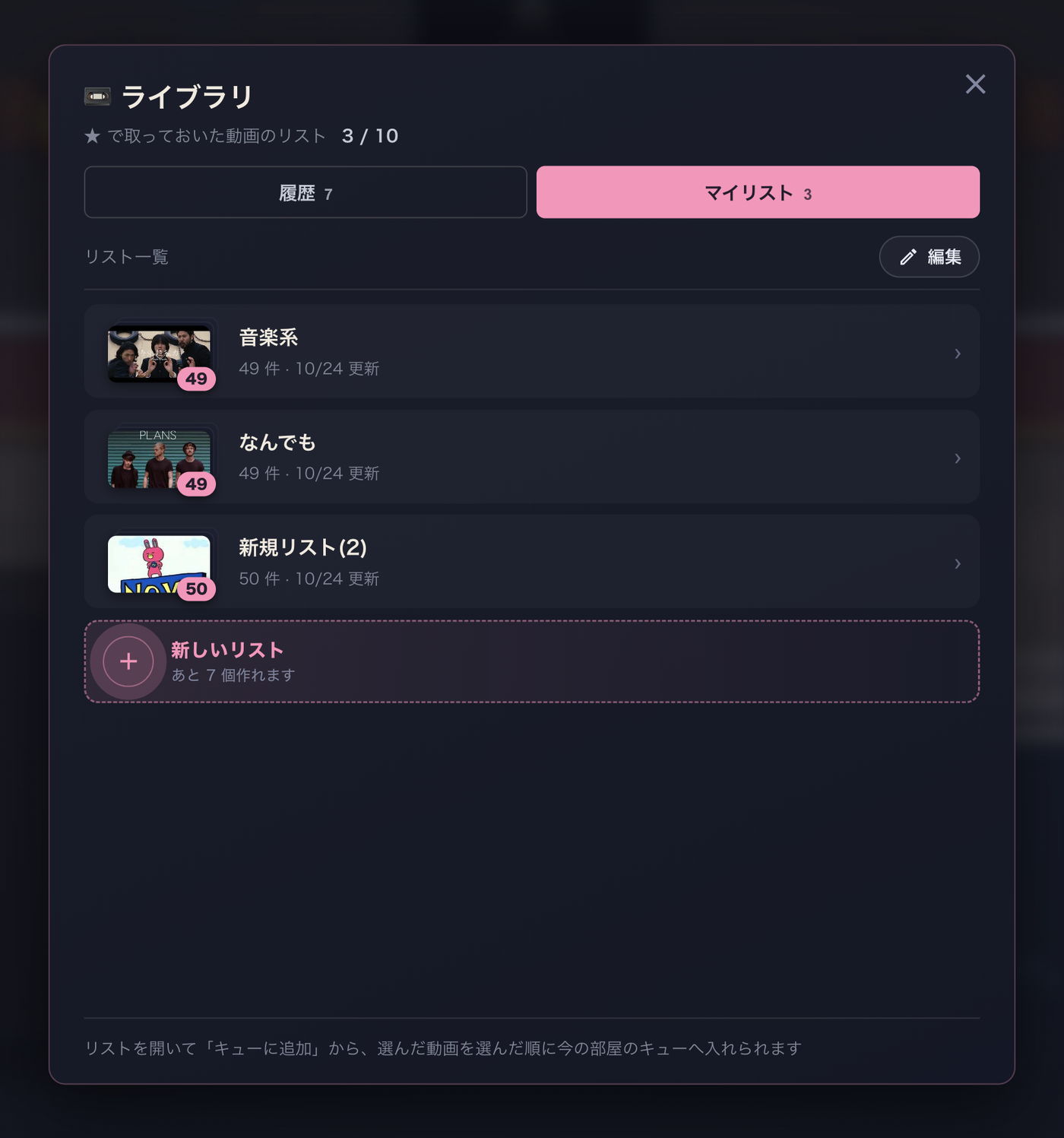
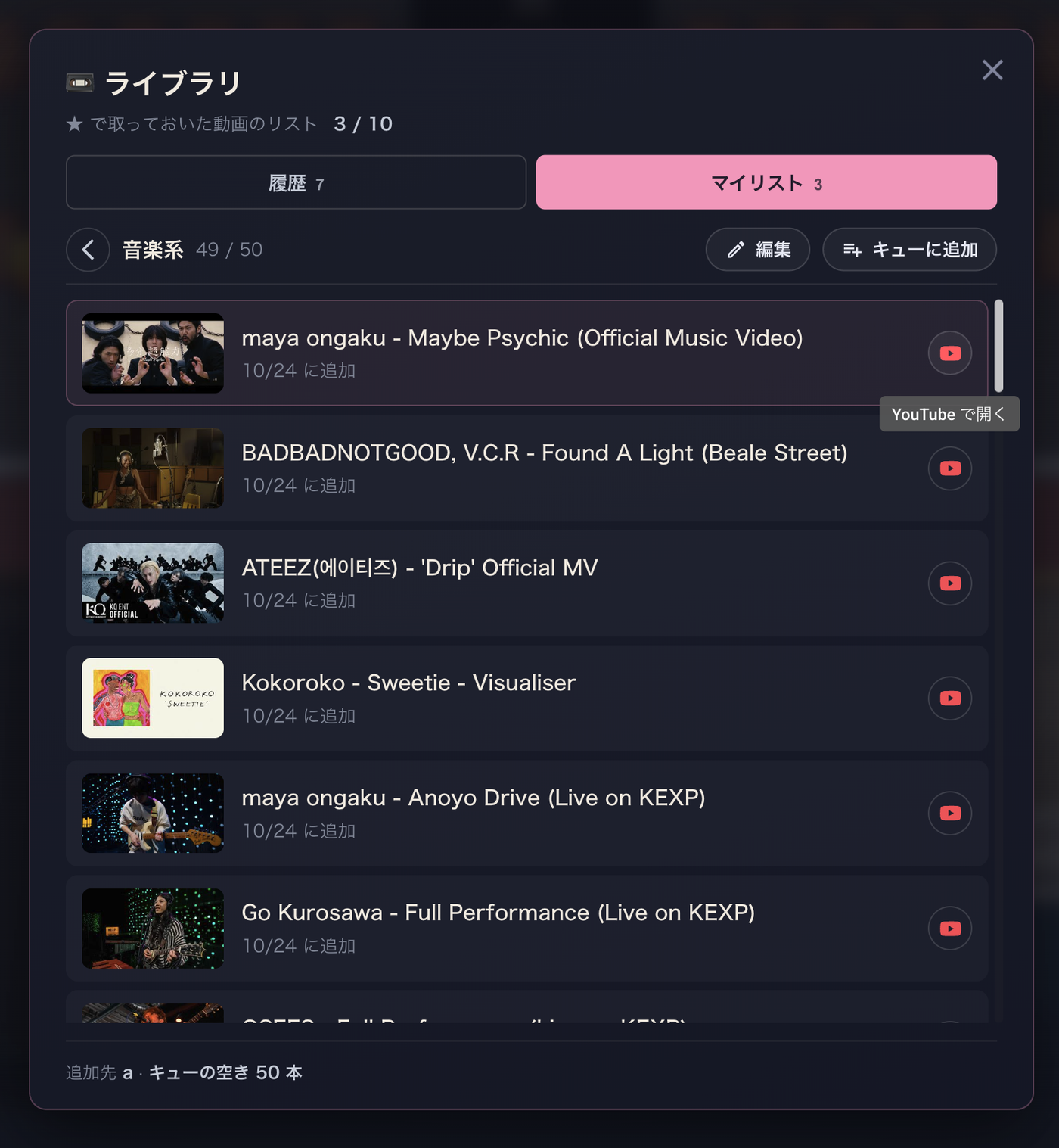
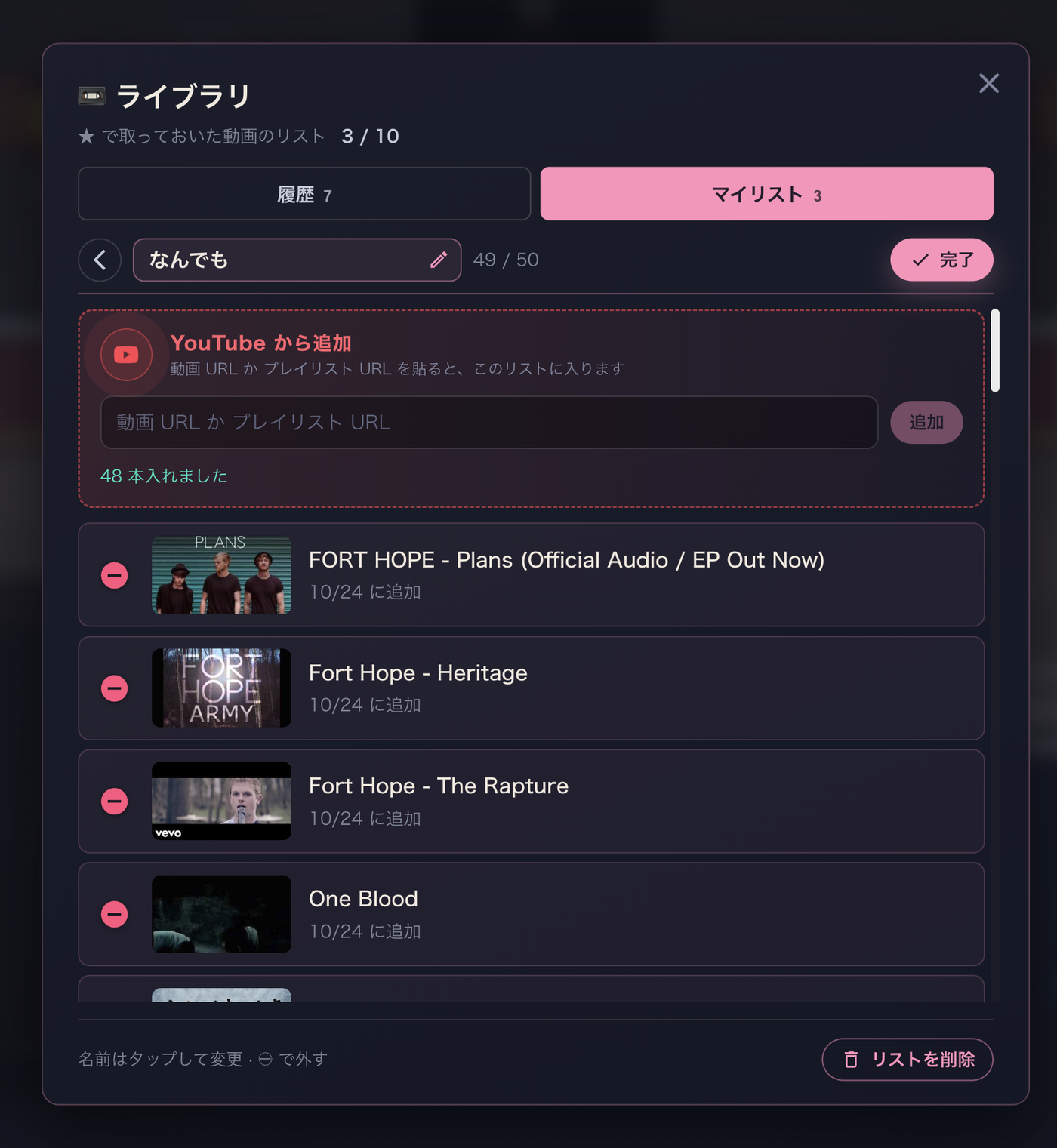
Two ways to add a video to a My List
① Tap ★ in your History and pick a list
② Open a list → "Edit" → paste a URL into "Add from YouTube" (a single video, or a whole playlist)
From a My List into the queueOpen a list, press "Add to queue", and pick videos; they go into this room's queue in the order you picked.
My Lists are available while you're logged in.
Lastly
"Play that one again" and "run my whole focus set" are finally easy.
Questions or requests? Reach us any time at [email protected].
Thanks, as always, for hanging out in MokuMoku.town 🙏